

LabVIEW, short for Laboratory Virtual Instrument Engineering Workbench, is a graphical programming language engineered for one specific purpose: interacting with hardware and making sense of the data it produces. Developed by National Instruments (now operating under Emerson), LabVIEW has been a foundational tool in test, measurement, and industrial automation for more than four decades.
Its users include NASA engineers validating spacecraft systems, researchers directing the superconducting magnets of the Large Hadron Collider, and manufacturers across Pittsburgh and Cleveland building smarter, faster production lines. Companies like SpaceX, Microsoft, and HP rely on LabVIEW because its graphical environment allows engineers and scientists to describe complex processes visually, reducing the gap between an idea and a working system.
But LabVIEW's power comes with an important caveat: the platform is only as capable as the people implementing it. A powerful graphical environment in the hands of a self-taught developer who has never been exposed to professional architecture patterns is a recipe for technical debt, project overruns, and systems that cannot be maintained or extended. The most consequential variable in any LabVIEW project is not the hardware. It is the expertise behind the keyboard.
This guide covers what LabVIEW is, where it excels, how to evaluate capability, what separates professional implementations from amateur ones, and how organizations in manufacturing and R&D can build the kind of sustainable internal expertise that stops them from repeatedly starting from scratch.
SECTION 1
What Is LabVIEW and How Does Its Graphical Programming Environment Work?
LabVIEW is a graphical programming language developed by National Instruments, now part of Emerson, designed specifically for interacting with hardware and acquiring, processing, and controlling data in real time. Unlike conventional programming languages that require sequential, text-based instructions, LabVIEW's graphical programming environment works by representing program logic as wired diagrams on a block diagram canvas, allowing engineers to describe systems the way they already think about them visually.
Dataflow Programming: A Different Way of Thinking
LabVIEW uses a dataflow paradigm. Rather than executing instructions line by line, a LabVIEW program executes nodes when the data they need becomes available. If two operations have all their required inputs ready simultaneously, they run in parallel automatically. This mirrors how physical systems actually behave. Sensors, actuators, and signals do not wait in line.
The architecture consists of two paired elements: the Front Panel, which serves as the user interface, and the Block Diagram, which contains the actual program logic. Every control or indicator placed on the Front Panel automatically generates a corresponding terminal on the Block Diagram, where it can be wired to operations and data flows.
The building blocks of LabVIEW are called Virtual Instruments, or VIs. Each VI is a self-contained program with its own Front Panel and Block Diagram. VIs can be nested inside other VIs, a construct known as Sub-VIs, enabling modular and reusable program design. This mirrors the concept of functions in text-based languages but expressed graphically.
What Makes It Different, and Why Visual Does Not Mean Simple
LabVIEW's graphical interface creates a misleading first impression. Dragging wires between nodes looks approachable. But the dataflow model demands a genuine shift in how a developer thinks about program execution, memory, and timing. The platform's complexity does not decrease as problems grow. It increases, often exponentially.
LabVIEW also supports real-time operating systems and FPGA programming, extends across National Instruments hardware platforms like DAQ, PXI, and CompactRIO, and integrates with a wide range of third-party equipment. Critically, LabVIEW is not limited to National Instruments hardware. Its ability to communicate with instruments and devices from any manufacturer is one of its most significant engineering strengths.
SECTION 2
Where Does LabVIEW Deliver the Most Value in Manufacturing and R&D?
LabVIEW delivers the most value in applications that require precise, real-time interaction with physical hardware across test and measurement, data acquisition, process control, and research environments. Its hardware-aware architecture handles problems ranging from micro-level sensor data capture to facility-wide process orchestration, and it does so in ways that general-purpose languages require significant additional work to replicate.
How Is LabVIEW Used for Test and Measurement?
LabVIEW is used for test and measurement by synchronizing multiple instruments, managing precise timing, and handling real-time feedback loops in automated test systems. Production line testing, end-of-line quality control automation, and automated test equipment (ATE) development are among its most well-established use cases. This precision makes it the standard for test environments where reliability and repeatability are non-negotiable.
For R&D teams in Pittsburgh and Cleveland's manufacturing sector, this means faster validation cycles, reproducible test protocols, and test infrastructure that can scale without rebuilding.
What Makes LabVIEW Ideal for Data Acquisition and Analysis?
LabVIEW is ideal for data acquisition and analysis because it combines purpose-built DAQ drivers, real-time logging, and signal conditioning into a single environment. Whether a system requires reading thermocouples, strain gauges, accelerometers, or current transformers, LabVIEW manages sampling rates and hardware communication without requiring external middleware.
Its built-in signal processing libraries, which include FFT analysis, filtering, and spectral analysis, allow engineers to move from raw acquisition to meaningful interpretation without stitching together external tools. This is particularly valuable in R&D environments where the investigation changes frequently and the instrumentation infrastructure needs to follow.
Why Choose LabVIEW for Process Control and Monitoring?
LabVIEW is a strong choice for process control and monitoring because it natively supports the industrial communication protocols that plant-floor hardware already uses, including Modbus, OPC, VISA, and EtherCAT. This allows it to serve as a control layer across SCADA systems, PLC integration, and industrial IoT applications without requiring custom protocol development.
For process engineers dealing with systems that involve both older and newer equipment, LabVIEW often solves the integration challenge that text-based alternatives handle only with significant custom protocol work.
How Does LabVIEW Support Research and Development?
LabVIEW supports research and development by enabling rapid configuration, between-run modification, and connection to a wide variety of instrumentation without proprietary hardware restrictions. Research institutions operating under strict compliance and documentation requirements rely on LabVIEW specifically because its visual architecture makes experiment logic reviewable by collaborators who do not share a programming background, which accelerates peer review and audit processes.
SECTION 3
What Tools and Practices Do You Need for Professional LabVIEW Development?
Professional LabVIEW development requires more than familiarity with the platform's features. The architectural decisions, error handling strategies, and documentation practices surrounding the core code are equally important. Together, those choices determine whether a system remains maintainable for years or becomes a liability shortly after delivery.
What Are LabVIEW's Key Capabilities and Features?
LabVIEW's key capabilities span hardware integration, signal processing, real-time execution, and custom interface development. The platform's core feature set includes:
- Hardware integration through DAQ, PXI, CompactRIO, and third-party devices via standard driver libraries
- Industrial protocol support: Modbus, OPC-UA, EthernetIP, EtherCAT, and serial communication
- Built-in signal processing, analysis, and mathematical libraries for scientific computing
- Real-time OS programming for deterministic execution in time-critical systems
- FPGA programming on NI's RIO hardware, enabling custom hardware logic without dedicated FPGA expertise
- Custom HMI and GUI development with visual controls, indicators, and operator displays
Which Architecture Patterns Should You Use in LabVIEW?
The architecture pattern you select in LabVIEW is one of the most consequential decisions in any project. It shapes whether the system can be extended, debugged, and maintained years after initial delivery. Three patterns form the professional core:
- State Machines: Appropriate for sequential workflows with defined states and transitions. Clean and readable for straightforward processes, but they become unwieldy when asynchronous events are introduced.
- Producer/Consumer Pattern: Designed for parallel operations where data is generated and consumed at different rates. This pattern excels in systems with continuous acquisition alongside user interface updates, but adds unnecessary complexity where simple sequencing would suffice.
- Actor Framework: An open-source, message-based software architecture for LabVIEW designed to build scalable, parallel, and modular applications. It utilizes object-oriented programming to create "Actors"—independent, concurrently running loops that maintain state and communicate via queues
Choosing the wrong pattern does not typically cause a system to fail immediately. Instead, it causes the system to become increasingly difficult to modify and maintain as requirements change. A state machine that worked well at twenty states becomes nearly unmaintainable at eighty.
What Professional Development Practices Ensure LabVIEW Success?
The professional development practices that ensure LabVIEW success are largely absent from self-directed learning paths. They separate code that merely runs from code that a team can maintain, extend, and hand off reliably:
- Modular programming with sub-VIs that have clearly defined inputs, outputs, and documented purpose
- Comprehensive error handling that anticipates failure modes rather than assuming success
- Consistent naming conventions that make wires, controls, and VIs intelligible to colleagues
- Documentation standards that explain architectural decisions, not just what the code does
- Performance optimization techniques including memory management, execution timing, and avoiding unnecessary data copies
The Technical Debt Problem
Without structured exposure to these practices, LabVIEW projects accumulate technical debt silently. Systems that function at deployment begin to reveal their architectural weaknesses when requirements change:
- Debugging takes exponentially longer as the complexity that was never organized grows harder to trace
- New features require disproportionate development time because no modular foundation was laid
- System maintenance costs escalate year over year, quietly eroding the ROI of the original investment
- Documentation either does not exist or describes only what the code does rather than why it does it
Organizations rarely recognize technical debt until they attempt to add a feature that should take a week and are quoted two months.
SECTION 4
Why Does Expertise Make or Break Your LabVIEW Success?
LabVIEW expertise makes or breaks project outcomes because the platform's power scales directly with the depth of the person wielding it. National Instruments and Emerson administer a certification program to help organizations identify that depth. Certifications are organized into four tiers: Associate Developer, Certified LabVIEW Developer, Certified LabVIEW Architect, and Certified Embedded Systems Developer. The Architect-level exam is a five-hour practical examination requiring candidates to design and implement a complete system under time constraints. Passing it reflects demonstrated ability under real conditions, not simply study time.
The existence of this certification structure reflects a fundamental truth about LabVIEW expertise: there is an enormous range of capability between someone who can build a working VI and someone who can architect a production system that remains maintainable for a decade.
Why Is Finding Qualified LabVIEW Talent So Difficult?
Finding qualified LabVIEW talent is difficult because the certified developer population is small relative to the number of organizations actively running LabVIEW programs. Geographic concentration is uneven, and in manufacturing-heavy markets like Pittsburgh and Cleveland, demand for certified professionals routinely exceeds local supply.
The practical consequences are significant:
- Organizations frequently depend on one or two individuals who hold the institutional knowledge for an entire LabVIEW ecosystem
- When those individuals leave, projects stall and systems become unmaintainable because no one else understands the architecture
- Competing for certified external talent through the open market is expensive, slow, and offers no guarantee of retention
What Challenges Do Self-Taught LabVIEW Developers Face?
Self-taught LabVIEW developers face a consistent pattern of challenges rooted in how self-directed learning works. Engineers who learned through online tutorials, trial and error, and incremental project exposure develop real skills alongside systematic gaps. Self-directed learning reinforces whatever approach first produced a working result, not necessarily the approach that produces a maintainable, professional-grade system.
The result is a common organizational profile: a LabVIEW program staffed by capable engineers whose code works but whose practices are inconsistent, undocumented, and difficult to transfer. Projects function until they need to be extended, debugged at scale, or handed to a new team.
Should You Build Internal LabVIEW Capability or Hire Experts?
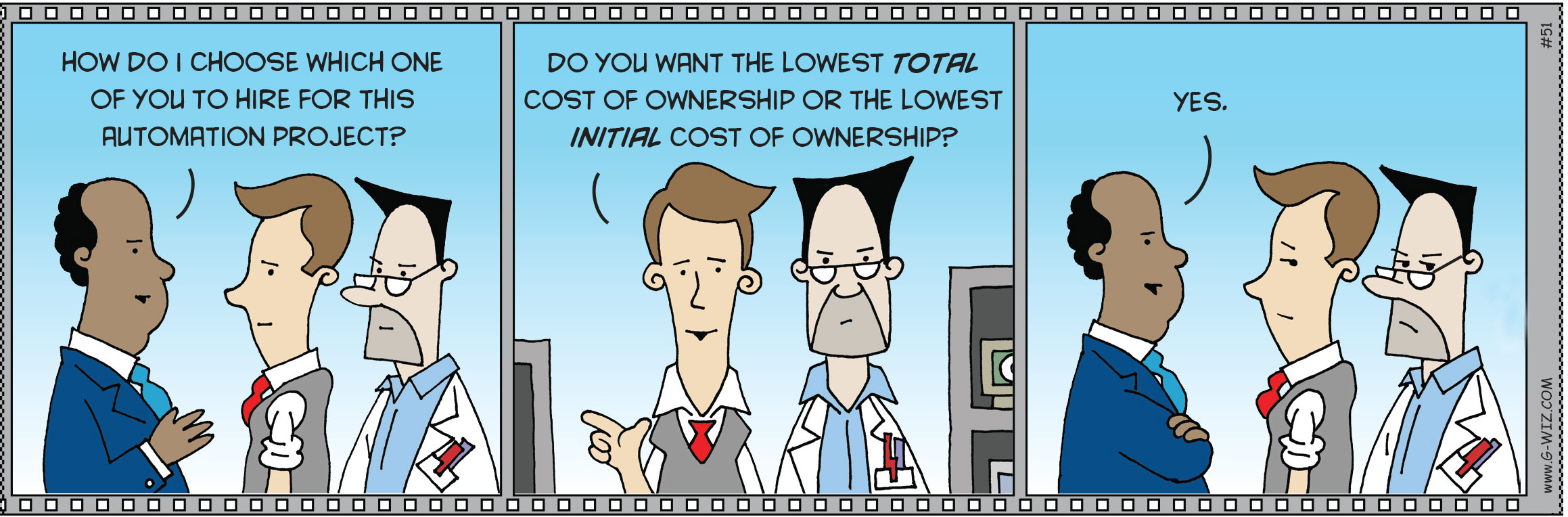
Whether to build internal LabVIEW capability or hire external experts is a question most organizations answer by default rather than by analysis. When the comparison is made explicit, internal development typically wins on total cost. The compounding costs of inadequate internal expertise include:
- Project delays: Inexperienced teams typically require two to three times longer for equivalent development work
- Rework: Poor architectural decisions require costly refactoring as systems scale
- Maintenance burden: Poorly written code demands ongoing support that consumes engineering hours indefinitely
- Consultant dependency: Organizations that do not develop internal capability find themselves re-engaging external experts for tasks that should be handled internally
Investing in systematic skill development, which encompasses structured training, mentorship, and progressive project exposure, builds capability across multiple team members simultaneously. That investment is typically less expensive than a single senior hire while creating organizational resilience that a single hire cannot provide.
What Skills Beyond LabVIEW Programming Do You Actually Need?
Successful LabVIEW projects require skills that extend well beyond LabVIEW programming itself. A complete project team needs coverage across multiple disciplines simultaneously:
- LabVIEW programming fundamentals and advanced architecture
- Application domain knowledge covering test theory, control systems, instrumentation, or whichever field defines the problem
- Industrial communication protocols and hardware integration
- Database design, query optimization, and integration when data persistence is required
- Project architecture, requirements definition, and design pattern selection
Most LabVIEW project challenges originate at the intersection of these disciplines, in the gap between what the team knows well and what the project actually requires.
Why Is Continuous Learning Essential for LabVIEW Teams?
Continuous learning is essential for LabVIEW teams because the platform evolves with every new NI release, hardware generation, and integration standard. A team that is proficient today can find its skills becoming a liability within a few years if it does not actively develop alongside the platform. Organizations need explicit strategies for keeping capability current across the full lifespan of their programs.
SECTION 5
What Are the Most Common LabVIEW Development Obstacles?
The most common LabVIEW development obstacles fall into two categories: technical challenges rooted in code architecture and integration, and project management failures rooted in underestimating what production-ready systems actually require. Even organizations with competent teams encounter both. Recognizing where projects typically stall makes it possible to address those challenges before they compound.
What Technical Challenges Derail LabVIEW Projects?
The technical challenges that most commonly derail LabVIEW projects involve legacy code, version control, and system integration. Legacy code maintenance is among the heaviest burdens. Systems written five or ten years ago by engineers who have since left the organization frequently lack documentation, use outdated design patterns, and are built on assumptions no longer visible in the code itself. Bringing those systems forward requires both LabVIEW expertise and organizational knowledge, a combination that is often not available at the same time.
Version control and team collaboration in LabVIEW require deliberate configuration. LabVIEW's binary VI format does not merge gracefully with standard text-based version control tools. Organizations that have not established LabVIEW-specific workflows for version control find that parallel development creates conflicts that are difficult to resolve.
Integration with existing manufacturing systems is where many projects encounter their most significant delays. Connecting LabVIEW to a production database is straightforward. Ensuring data integrity, handling connection failures gracefully, optimizing for query performance at scale, and designing a schema that will serve the system's reporting requirements all require knowledge that extends well beyond LabVIEW programming itself.
Why Do LabVIEW Projects Run Over Budget and Behind Schedule?
LabVIEW projects run over budget and behind schedule most often because organizations budget for the cost of writing code that works in a controlled environment, not for the cost of a production-ready system. That gap regularly doubles project timelines. A production-ready system requires five things that are rarely included in initial estimates:
- Robust error handling that covers failure modes the initial developer did not anticipate
- User interface refinement that accounts for how operators actually interact with the system under real conditions
- Integration testing that validates behavior at the boundaries between LabVIEW and the rest of the infrastructure
- Documentation sufficient for future maintenance and modification
- Performance testing under realistic load conditions
How Does Rushing to Production Create Long-Term Problems?
Rushing to production creates long-term problems by converting a short-term schedule gain into a compounding technical liability. When delivery pressure causes teams to skip architecture planning, minimize error handling, or defer documentation, each of those shortcuts embeds future cost into the system. Every shortcut taken at delivery tends to cost significantly more to correct after the system is live.
SECTION 6
How Do You Create Long-Term Success with LabVIEW?
Long-term success with LabVIEW comes from treating capability development as a deliberate, ongoing program rather than a one-time event. Organizations that extract sustained value from their LabVIEW investments share that characteristic. The maturity progression below reflects the pattern DSA has observed across more than 30 years of working with manufacturing and R&D organizations in Pittsburgh, Cleveland, and beyond.
What Does LabVIEW Capability Maturity Look Like?
|
Level 1 |
Individual Dependency |
One or two people hold all LabVIEW knowledge. High organizational risk if that person leaves. |
|
Level 2 |
Multiple Contributors |
Several team members have basic skills but inconsistent practices create maintenance friction. |
|
Level 3 |
Standardized Practices |
Documented coding standards, code review processes, and sustainable collaboration are in place. |
|
Level 4 |
Continuous Improvement |
Regular skill development and a self-sustaining center of excellence drive ongoing performance. |
How Should You Build Your LabVIEW Capability Roadmap?
Building a LabVIEW capability roadmap requires a structured, phased approach. Organizations that attempt to jump from Level 1 to Level 3 in a single initiative typically underestimate the time required and overestimate what training alone can achieve without hands-on reinforcement. A realistic roadmap moves through four phases:
Phase 1: Assessment (Weeks 1 to 4): Evaluate current team capabilities honestly. Identify skill gaps relative to planned projects. Document knowledge transfer risks, particularly around individuals whose departure would leave critical systems unmaintainable.
Phase 2: Foundation Building (Months 1 to 6): Establish core team proficiency through structured training, not self-directed tutorials. Create internal coding standards. Implement version control and documentation practices before they are urgently needed.
Phase 3: Capability Expansion (Months 6 to 12): Develop specialized skills relevant to the organization's specific application domains. Build internal mentorship capability so knowledge transfer is not dependent on external resources. Establish a center of excellence that codifies what works.
Phase 4: Optimization (Ongoing): Advance skills in parallel with platform evolution. Cross-train team members to eliminate single points of failure. Establish regular code review processes that maintain standards under project pressure.
What Factors Are Critical for Sustainable LabVIEW Success?
Two factors are critical for sustainable LabVIEW success, and both are frequently underweighted in organizations that remain stuck in cycles of consultant dependency:
- Structured Learning Progression: Random online tutorials produce random results. Sustainable capability requires following a logical progression from fundamentals to architecture to advanced topics, with each stage reinforced through hands-on application on real projects and review by experienced practitioners.
- Knowledge Capture: Capability that lives only in individual engineers' heads is not organizational capability. Sustainable programs document architectural decisions, maintain internal code libraries of reusable components, and capture best practices specific to the organization's applications.
What Pitfalls Should You Avoid When Building LabVIEW Capabilities?
- The Just-in-Time Approach: Waiting until a project demands skills that do not yet exist forces teams to learn under pressure. Results are incomplete and there is no time to reinforce what was learned before it is applied on a live project.
- The Online Tutorial Trap: Self-directed learning alone leads to knowledge that is incomplete in unpredictable ways. Developers learn what their projects demand and develop blind spots in areas they have not yet needed.
- The Too Busy Excuse: Organizations that are too busy to invest in skills remain permanently busy, firefighting the consequences of the skill gaps they chose not to close.
When Should You Engage External LabVIEW Expertise?
You should engage external LabVIEW expertise when it can be structured to transfer knowledge rather than create ongoing dependency. The highest-value engagements are targeted and time-bounded:
- Initial architecture consulting to avoid foundational design mistakes before they are embedded in production code
- Code reviews at key project milestones to validate that emerging internal practices meet professional standards
- Targeted skill transfer for specific knowledge gaps such as FPGA programming, industrial protocols, and real-time systems that fall outside the scope of foundational training
- Process establishment using proven workflows for version control, documentation, and quality assurance
SECTION 7
How LabVIEW Compares to Other Automation Tools
Platform selection decisions benefit from an honest comparison of trade-offs rather than loyalty to any single tool. LabVIEW excels in hardware-intensive, measurement-critical, and real-time applications. Other platforms serve different strengths.
|
Platform |
Best For |
LabVIEW Advantage |
Consideration |
|---|---|---|---|
|
Python (PyVISA) |
Scripting, data science, general automation |
LabVIEW's hardware integration & real-time is unmatched |
Python requires more custom work for hardware-intensive tasks |
|
MATLAB/Simulink |
Mathematical modeling, simulation, control design |
LabVIEW handles real production environments and physical I/O better |
MATLAB licenses are expensive; LabVIEW better for production deployment |
|
C/C++ |
Embedded firmware, ultra-low-level performance |
LabVIEW FPGA bridges graphical dev with embedded performance |
C/C++ gives maximum control but demands expert memory management |
The practical conclusion: platform selection should account for your team's existing skills and realistic learning capacity, not only technical specifications. The best platform for a given organization is the one its team can master, maintain, and extend over the full life of the program, not merely the one that performs best on paper for the initial project.
LabVIEW's learning curve is genuine. The graphical environment appears accessible, but advanced architecture, real-time programming, and FPGA work demand significant investment. Organizations that underestimate this and expect rapid self-directed proficiency typically discover the depth of the gap when a project is already underway, which is the most costly time to find it.
SECTION 8
LabVIEW in Pittsburgh and Cleveland: Regional Context
Pittsburgh and Cleveland maintain strong manufacturing and R&D sectors where LabVIEW skills are genuinely valuable. Both regions have deep roots in steel, advanced manufacturing, medical devices, and energy. These are application domains where test, measurement, and process control capabilities matter considerably.
The challenge is that specialized LabVIEW expertise does not concentrate in these markets proportionally to the demand for it. The certified developer pool is thin relative to the number of organizations with active LabVIEW programs, and competition for external talent is real.
This geography-specific constraint makes the case for internal capability development stronger, not weaker. Organizations in Pittsburgh and Cleveland that invest in developing LabVIEW expertise internally reduce their exposure to a shallow local market for certified professionals. They build something their competitors typically cannot recruit away.
DSA has worked with manufacturers and R&D teams across Pittsburgh and Cleveland for over 30 years, helping organizations at every stage of the capability maturity progression. That work has ranged from untangling legacy code left by departing developers to establishing centers of excellence that sustain LabVIEW programs across leadership changes.
.SECTION 9
Frequently Asked Questions About LabVIEW
What industries use LabVIEW most?
Manufacturing, aerospace and defense, medical devices, energy and utilities, semiconductor, and research institutions are the heaviest users. Any industry that requires precise control of physical hardware, real-time data acquisition, or automated testing has a strong use case for LabVIEW.
Is LabVIEW difficult to learn?
The introductory experience is genuinely accessible. Graphical wiring is intuitive for engineers who think visually about systems. Advanced LabVIEW, however, requires mastering dataflow programming logic, architecture patterns, real-time constraints, and hardware-specific behaviors. The gap between beginner proficiency and professional capability is wide, and self-directed learning alone rarely closes it fully.
Can LabVIEW integrate with my existing equipment?
Almost certainly. LabVIEW is not limited to National Instruments hardware. It communicates with equipment from virtually any manufacturer through standard protocols including Modbus, OPC-UA, VISA, GPIB, serial, and Ethernet-based communication frameworks. This flexibility is one of LabVIEW's most significant engineering advantages.
How long does a typical LabVIEW implementation take?
Project timelines depend on system complexity, integration requirements, and team capability. Simple data acquisition systems can be production-ready in weeks. Complex, multi-system integrations with real-time control and reporting infrastructure may take six months to a year. The most common cause of timeline overruns is underestimating what 'production-ready' actually requires versus what 'working in a test environment' requires.
How do I know if my team is ready for a LabVIEW project?
Evaluate honestly: Does your team have certified developers or developers with structured professional training? Can they articulate which architectural pattern they will use and why? Do they have established coding standards, version control, and documentation practices? If the answer to any of these is no, the risk of the project should be factored into timelines and budgets.
What is the difference between a LabVIEW developer and a LabVIEW expert?
A LabVIEW developer can build VIs that perform required tasks. A LabVIEW expert designs systems that perform required tasks reliably, maintainably, and scalably, and can explain, document, and teach their architectural decisions to others. The Certified LabVIEW Architect designation, which requires a five-hour practical examination, is the most reliable external signal of that expert-level capability.
Should I hire LabVIEW expertise or develop it internally?
Both strategies have a place. For a single urgent project, an experienced external developer may be appropriate. For organizations with ongoing LabVIEW needs, internal capability development typically delivers better long-term ROI through lower per-project cost, greater organizational resilience, and retained institutional knowledge. The strategic question is whether LabVIEW is a recurring need or a one-time requirement.
How do I prevent LabVIEW projects from accumulating technical debt?
Establish coding standards before the first project, not after the third. Implement code reviews as a process checkpoint rather than an afterthought. Ensure developers have training in architecture patterns before they choose one under project pressure. Build documentation into the definition of done so it is never treated as an optional deliverable at the end.
SECTION 10
Building the Capability That Delivers the Results
LabVIEW offers industrial automation capabilities that few platforms can match for hardware integration, real-time performance, and measurement precision. Its adoption by NASA, SpaceX, and some of the world's most demanding engineering programs is not coincidental. It reflects genuine technical depth and a track record built across decades of demanding real-world applications.
But that depth requires equivalent depth in the people deploying it. The most expensive LabVIEW mistake most organizations make is treating developer capability as a given rather than a strategic investment. Projects that are scoped, budgeted, and scheduled without an honest accounting of the team's skill level routinely encounter the same pattern: a system that works at delivery and deteriorates as requirements change.
The organizations that succeed over the long term are those that build capability deliberately, through structured training, professional practices, knowledge capture, and a clear-eyed assessment of where their team currently stands versus where their projects require them to be.
DSA has spent more than 30 years helping Pittsburgh and Cleveland area manufacturers and R&D organizations close that gap. The goal has never been to create dependency on outside expertise. It has been to build the internal capability that allows organizations to own and sustain their own programs.
How Does LabVIEW Enable Digital Transformation?
Automation frees people from the drudgery and repetition of performing a task over and over. It provides a consistency that cannot be matched by humans, whether it’s taking a reading, assembling a unit, or even checking the appearance of a finished product. It can pass information smoothly into records for either real-time awareness or post-processing analysis.
At DSA, it is our mission to leverage automation to improve labor productivity and cut labor costs for your business. We achieve this through implementing the following types of automation:
Laboratory Automation
Product Automation
Manufacturing Automation
Test Automation
Contact Us

What We Recommend
Get started today and schedule a free consultation. Try us risk-free and learn how you can benefit from our methodical and certified best practices to advance your automation engineering and digital transformation initiatives.